
This week

Given the extreme weather conditions forecast for the remainder of this week, we have decided to allow all students the choice of following attire for the next 3 days:
- their full their normal full school uniform with normal school shoes (jumper does not have to be worn); or
- their full Beckfoot School PE kit with trainers (hoodie does not have to be worn).
No other items of clothing will be permitted. 
For post -16 students, this will also include the wearing of smart shorts.
On Monday 29 June 2026, we will revert back to normal full school uniform with normal school shoes during the day.
Remember: we strongly recommend bringing plenty of water, sun protection, including sun cream and a hat/cap (to be worn whilst outside during breaktimes, PE lessons, and other outdoor activities), to help protect against the sun.
For outdoor PE lessons, students should come prepared for activity in the heat. Please note that sunglasses cannot be worn during PE, but suitable sun hats are encouraged when outside.
Please take care.

Class Charts: Parental App

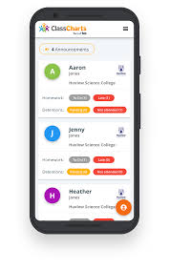
Beckfoot School uses the parental app, Class Charts to securely track and share details of your child(ren’s) achievement, behaviour, home learning and attendance throughout the school day thereby keeping you up to date of how they are doing in real-time.

If you have more than one child at Beckfoot, you can access Class Charts information about your children from a single, centralised parent account. Once you have set up each child, they will all run from one log in.

We require all parents and carers to sign up via the APP or website. This is so important given that it will be the predominant method we will use to communicate with you.

You can access ClassCharts via a smartphone app; IOS and Android, or via the website www.classcharts.com/parent/login.

How to sign up via the APP:
  • A confirmation message will appear, indicating that the Sign-Up process is complete.
  • Select ‘Sign Up’ (not log in).
  • Fill in the form provided.
  • Enter your Access code where state.
  • Click on ‘Sign Up’.
  • Confirm the pupil’s date of birth when prompted.

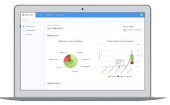
How to sign up via the Class Charts website:
  • Click Log-in!
  • Go to: classcharts.com/parent/login
  • Enter your email address
  • Choose ‘I don’t have an account yet’
  • Enter your parent access code and name
  • Choose a password
  • Click Log-in!

If you would like your child’s parental of student code emailing to you, please contact us at [email protected].