
Beckfoot School uses the parental app, Class Charts to securely track and share details of your child(ren’s) achievement, behaviour, home learning and attendance throughout the school day thereby keeping you up to date of how they are doing in real-time.
If you have more than one child at Beckfoot, you can access Class Charts information about your children from a single, centralised parent account. Once you have set up each child, they will all run from one log in.
We require all parents and carers to sign up via the APP or website. This is so important given that it will be the predominant method we will use to communicate with you.
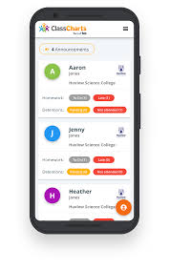
You can access ClassCharts via a smartphone app; IOS and Android, or via the website www.classcharts.com/parent/login.
How to sign up via the APP:
- A confirmation message will appear, indicating that the Sign-Up process is complete.
- Select ‘Sign Up’ (not log in).
- Fill in the form provided.
- Enter your Access code where state.
- Click on ‘Sign Up’.
- Confirm the pupil’s date of birth when prompted.
How to sign up via the Class Charts website:
- Click Log-in!
- Go to: classcharts.com/parent/login
- Enter your email address
- Choose ‘I don’t have an account yet’
- Enter your parent access code and name
- Choose a password
- Click Log-in!
If you would like your child’s parental of student code emailing to you, please contact us at [email protected].